Web apps#Exam server #Online proctoring #EdTech
Exam server for academies: how I built a proctored online exam platform in one week
What an exam server for academies needs, from exam and student management to camera and screen proctoring, a live monitor and automatic results, from a real build.
TheUncoder · 10 min read
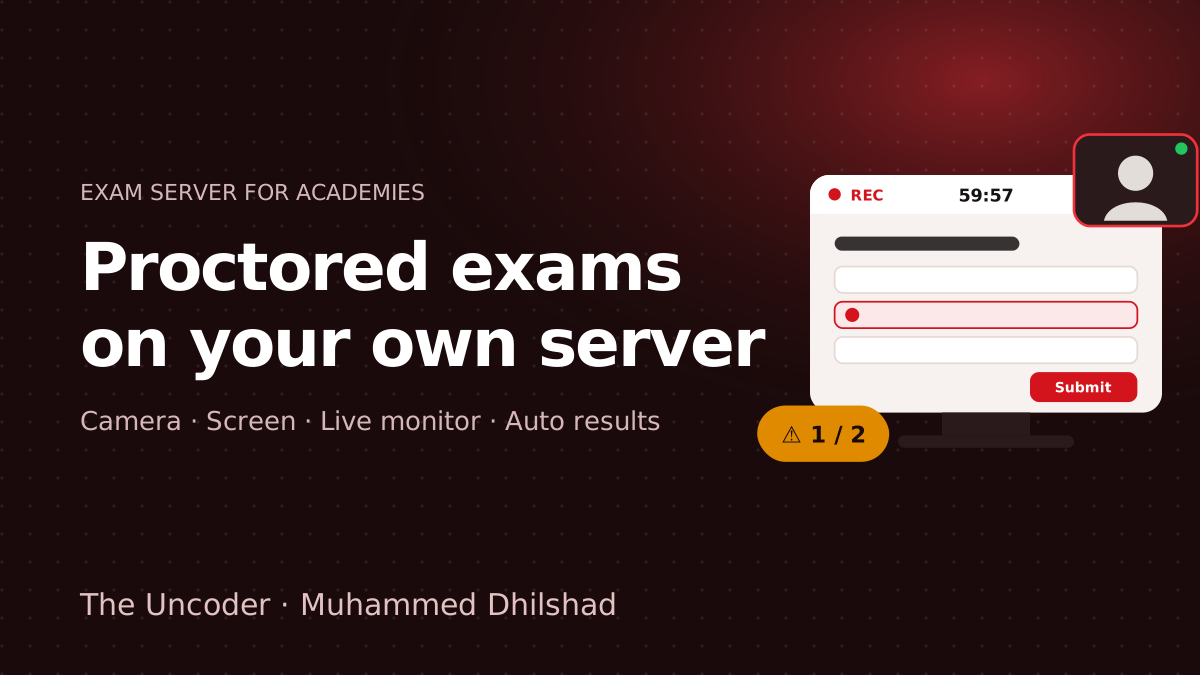
Kerala Flight Academy came to me with a request that sounds simple and is not: run the academy's exams online, on its own server, and still trust every score. No shared quiz links, no screenshots of answers going around a WhatsApp group, and no evening spent copying marks into a spreadsheet.
I designed and developed that exam server in one week, and it now runs the academy's exams. This guide explains what an exam server for academies actually needs, how online proctoring works in a normal browser, and what to ask before you build one for your own institute. If you already know you want one, the last section explains how we can build yours.
What is an exam server for academies?
An exam server is a web platform your academy owns, where your team creates exams, adds students, runs timed and proctored attempts, and gets the results. It is called a server because it runs on your own hosting with your own database, instead of a shared quiz tool where your questions and student data live on someone else's account.
Free form and quiz tools are fine for a quick class test. They start to break when an exam actually matters:
- Identity. Anyone with the link can open it. You cannot be sure who is answering.
- Proctoring. There is no camera, no screen recording and no rule for switching tabs.
- Control. Scores often show instantly, so you cannot review an attempt before releasing it.
- Scale. Allocating exams to batches, giving one student a retest or re-using a question bank becomes manual work.
A proper online exam system solves all four, and a custom one solves them the way your academy already works.
Who needs an online exam server
I built this one for an aviation academy, but the same platform fits any institute where exam results carry weight:
- Aviation and flight academies running subject exams, mock tests and entrance assessments.
- Coaching institutes for entrance exams, government exams and competitive tests.
- Skill and IT training institutes that issue course completion certificates.
- Nursing, paramedical and allied health academies with regular internal assessments.
- Corporate training teams running certification and compliance tests.
- Schools and colleges that want secure online internal exams.
Features every exam server should have
These are the features I designed into the Kerala Flight Academy platform. Use this as a checklist, whether you build or buy.
1. Exam setup the team can change on its own
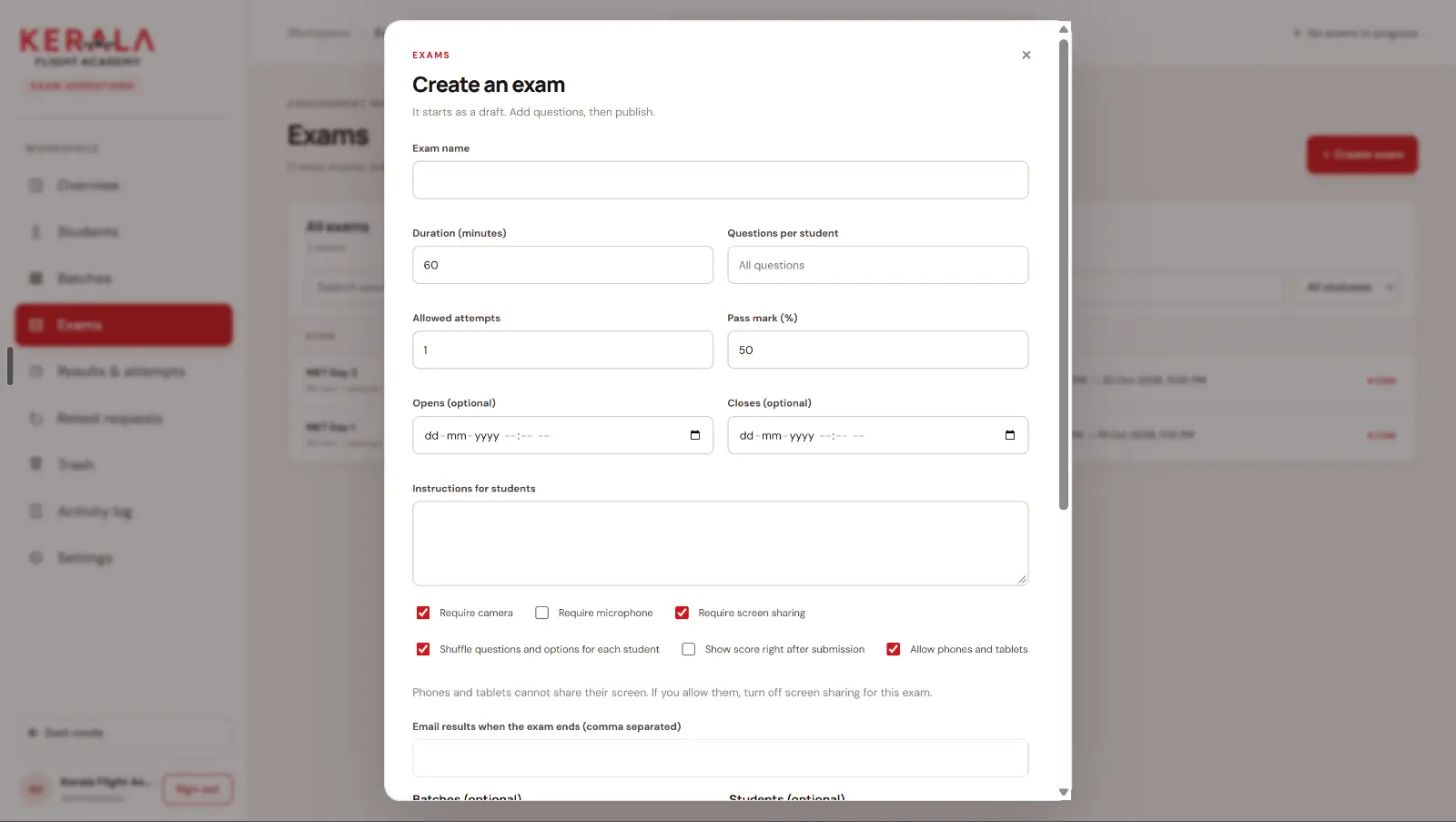
Each exam needs its own duration, number of allowed attempts, pass mark, opening and closing time, instructions, and the option to pick a set number of questions per student. Shuffling the order of questions and options for every student makes copying between students much harder. The academy should also choose whether students see their score immediately or only after the results are released.
2. Students, batches and a private Exam ID
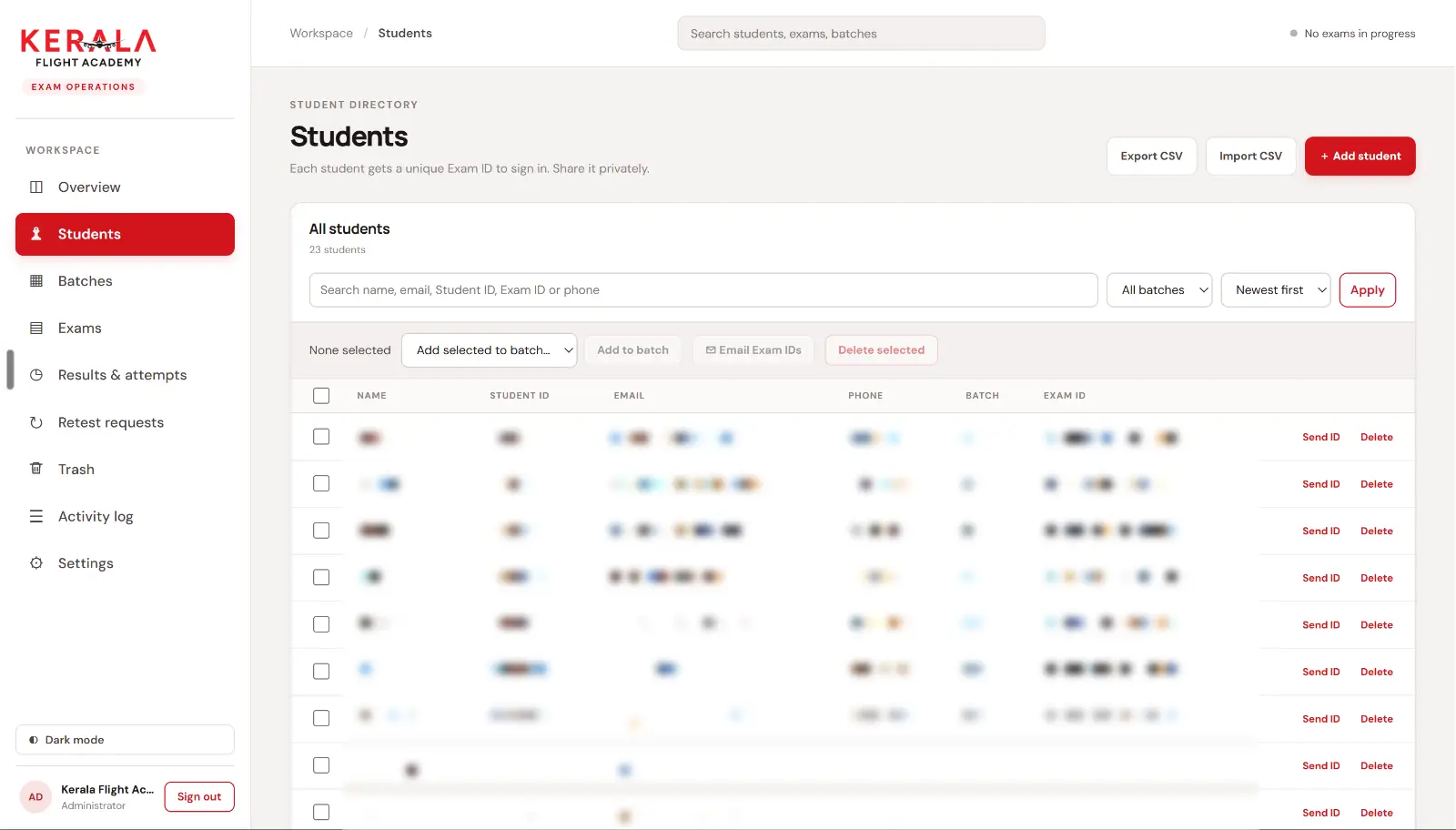
When an admin adds a student, the server generates a unique Exam ID in the backend. That ID is the only way to sign in: no passwords to forget, no accounts to share. The admin can email the ID to the student in one click. Students are grouped into batches, so an exam can be allocated to a whole batch at once, and a student can belong to more than one batch.
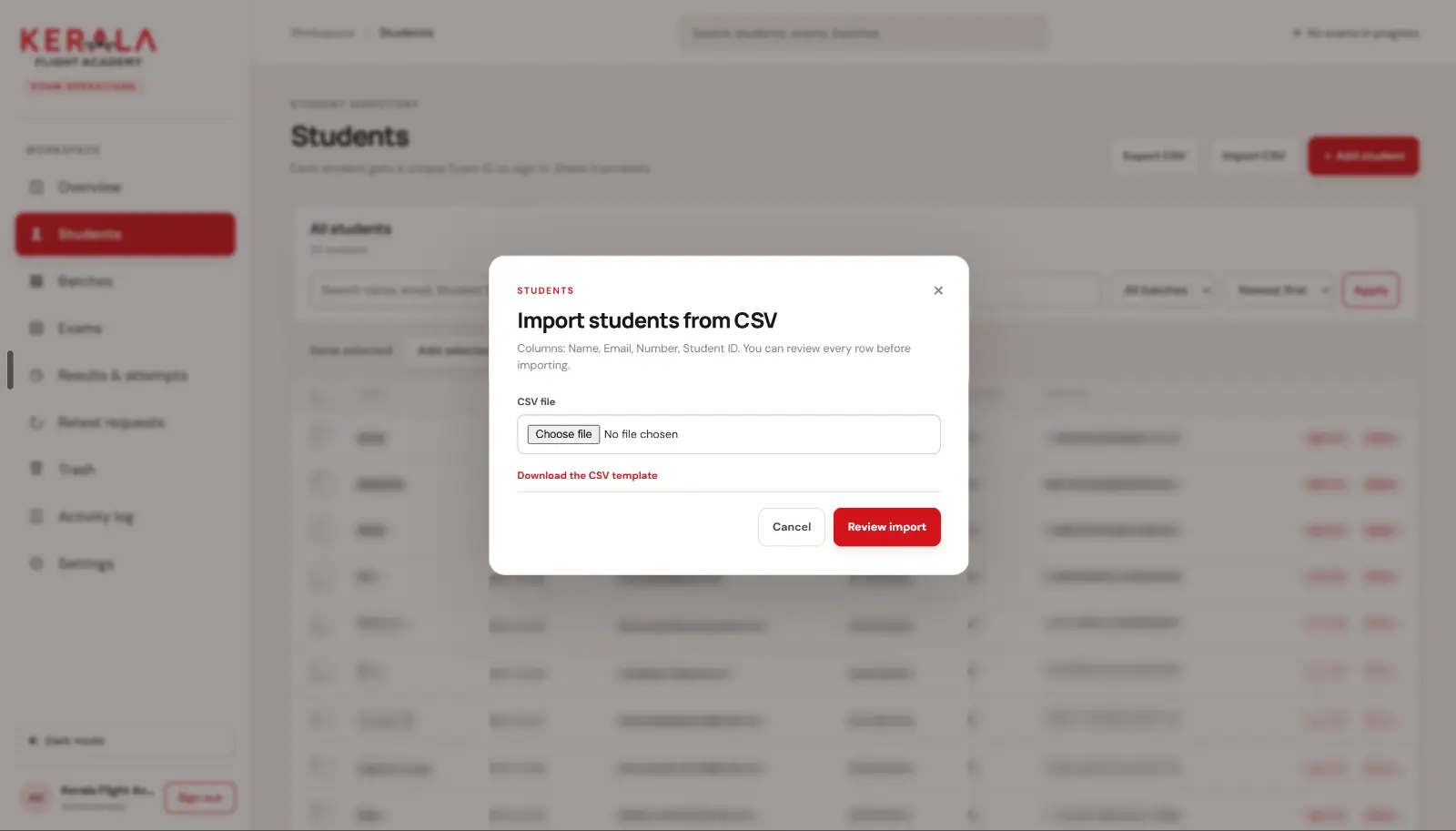
Adding hundreds of students by hand is not realistic, so bulk CSV import is essential. Upload a sheet with name, email, phone number and student ID, review every row, then import.
3. A question bank with bulk import
Academies already have question banks in Excel. The exam server should accept a question CSV with the question, four options, the correct option and the points, show every question with its correct answer for review, and only then add them. Downloading the current questions, editing them in a spreadsheet and uploading them again is the fastest way to fix a typo in fifty questions.
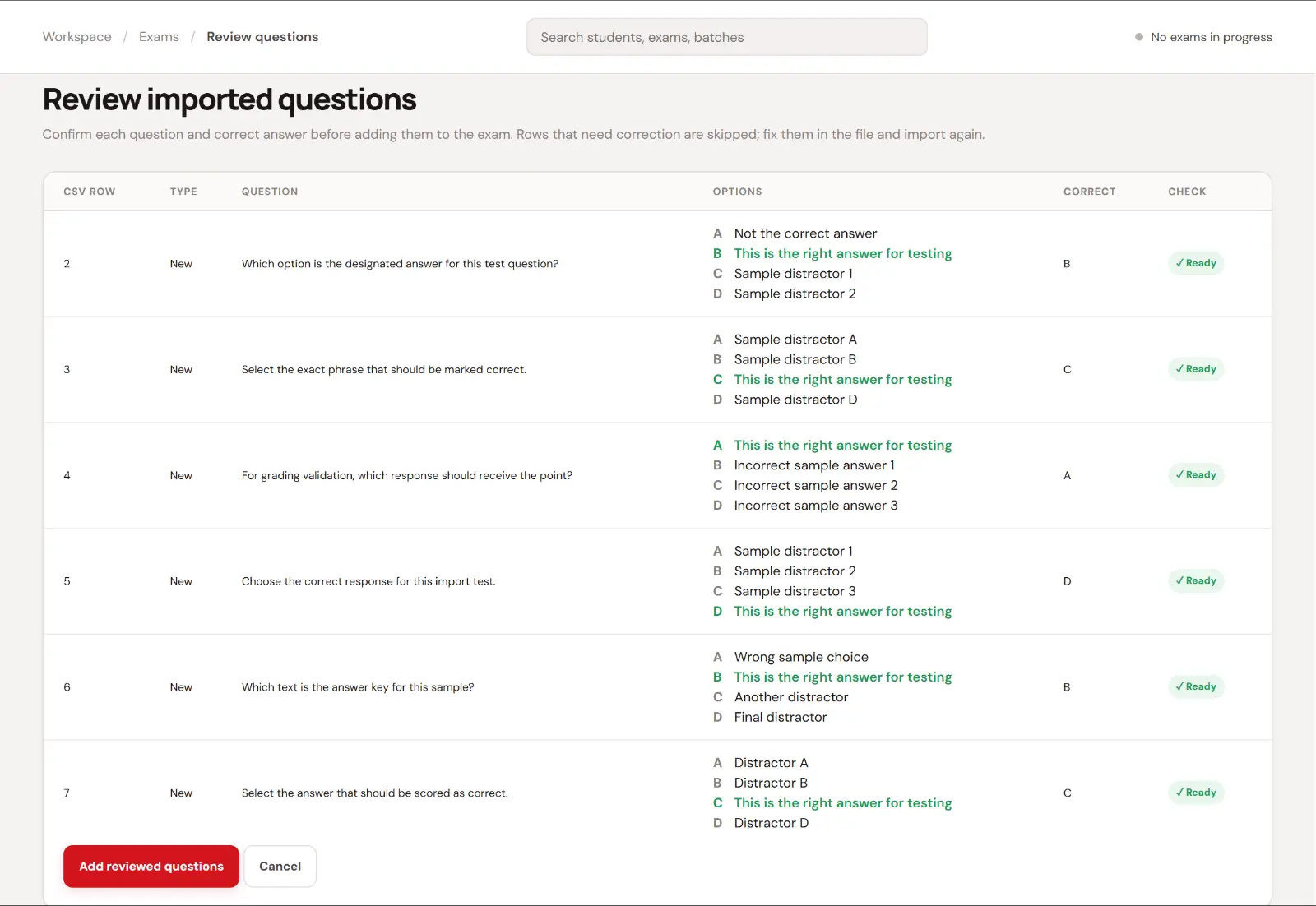
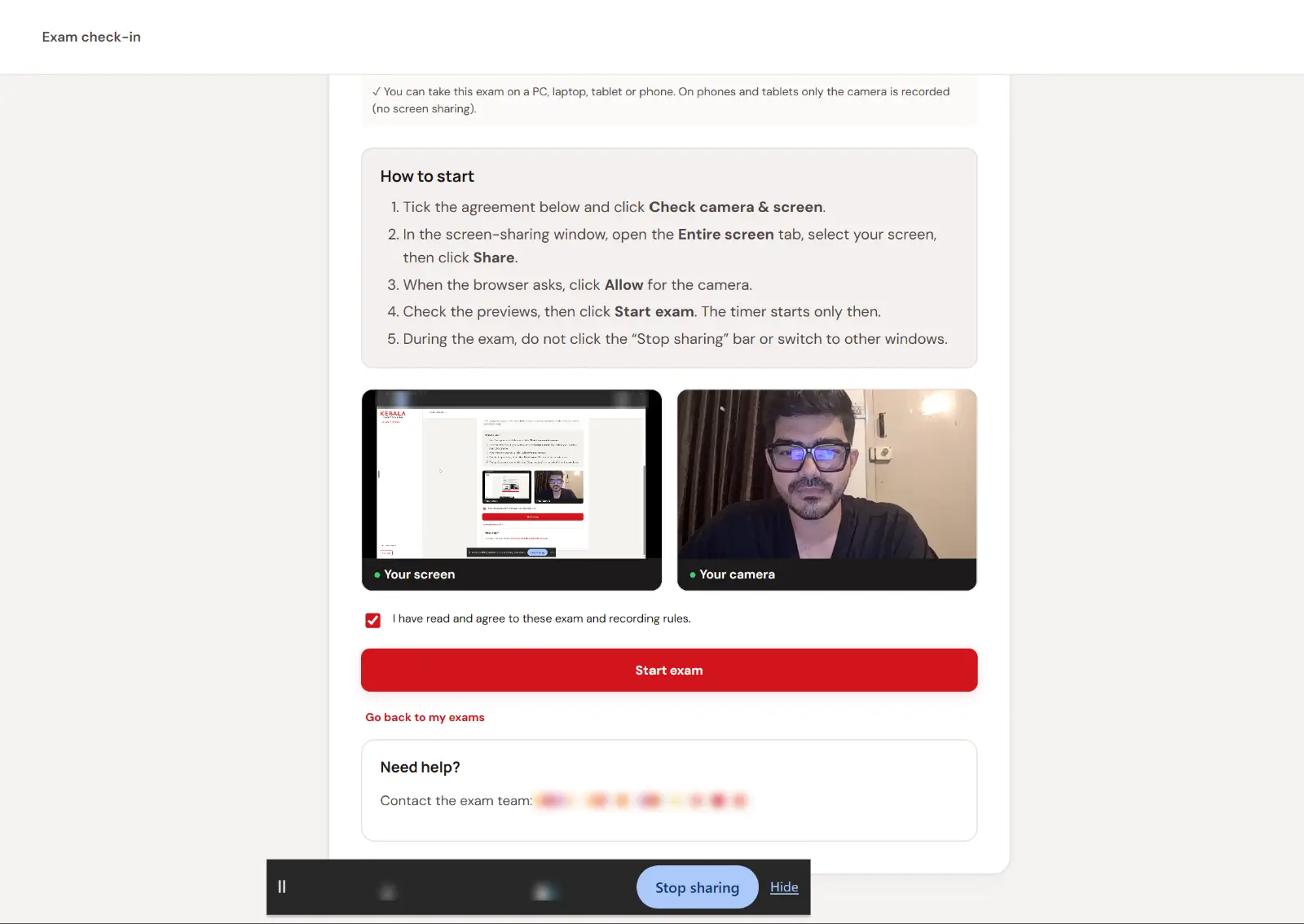
4. Camera, screen and microphone proctoring
This is the part that makes an online exam fair. Before the timer starts, the student must:
- Agree to the exam and recording rules.
- Share their entire screen, not just one browser tab.
- Turn on the camera, and the microphone if the exam requires it.
- See both previews working, and only then press Start exam.
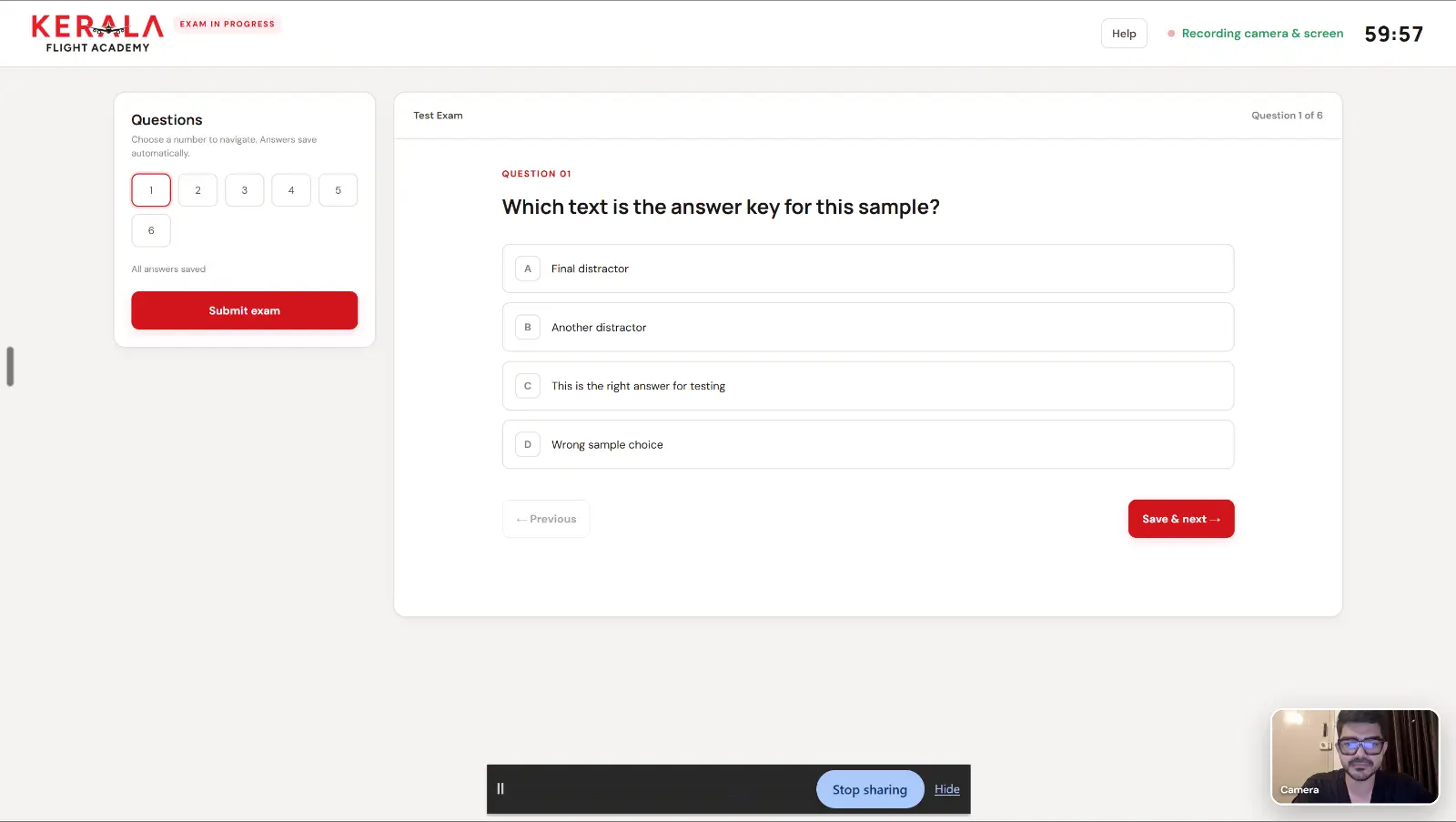
The camera and screen are recorded for the whole attempt. Each exam decides whether camera, microphone and screen sharing are required, and whether phones and tablets are allowed. Phones cannot share their screen, so on a phone only the camera is recorded.
5. The two-warning rule
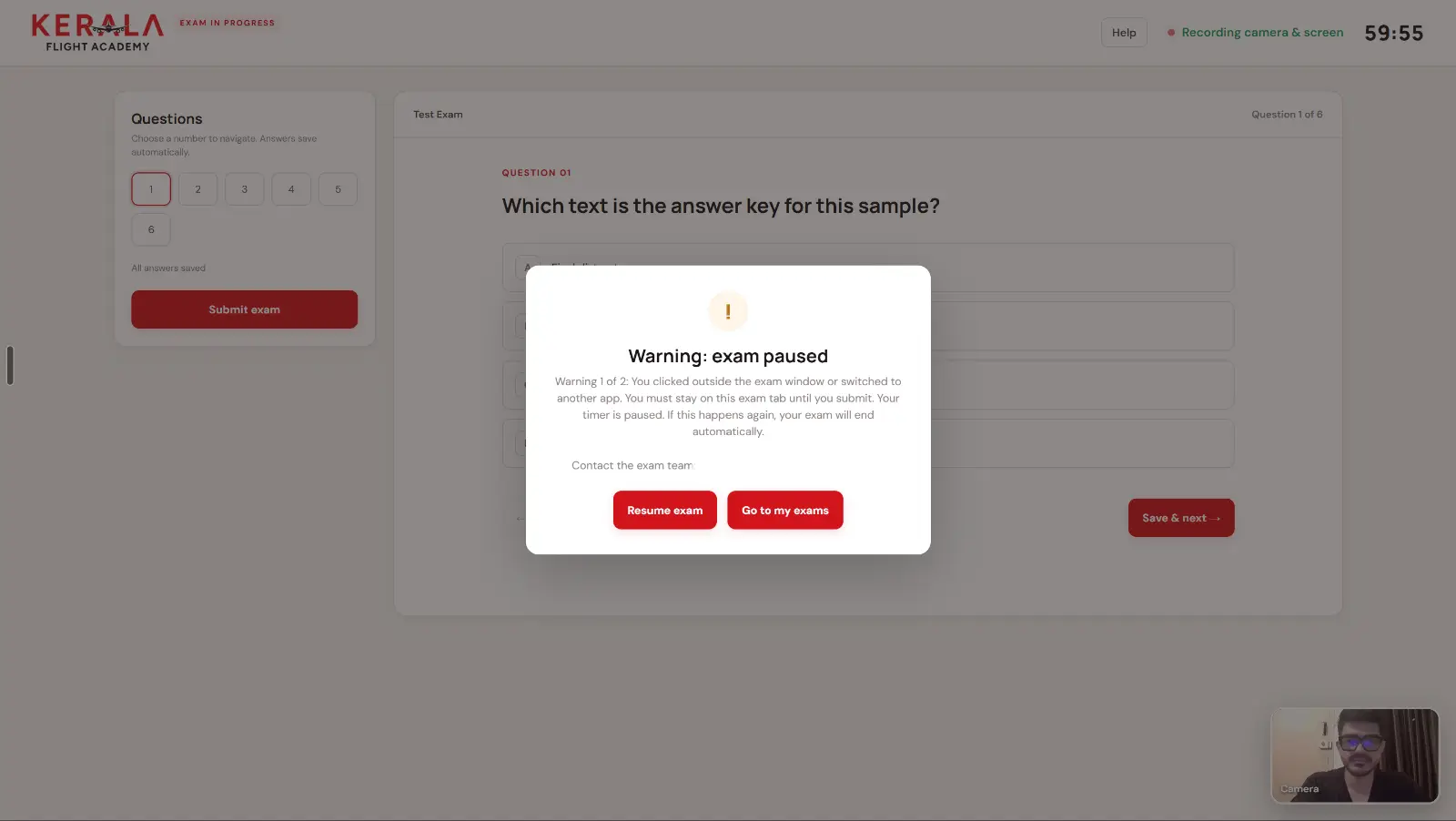
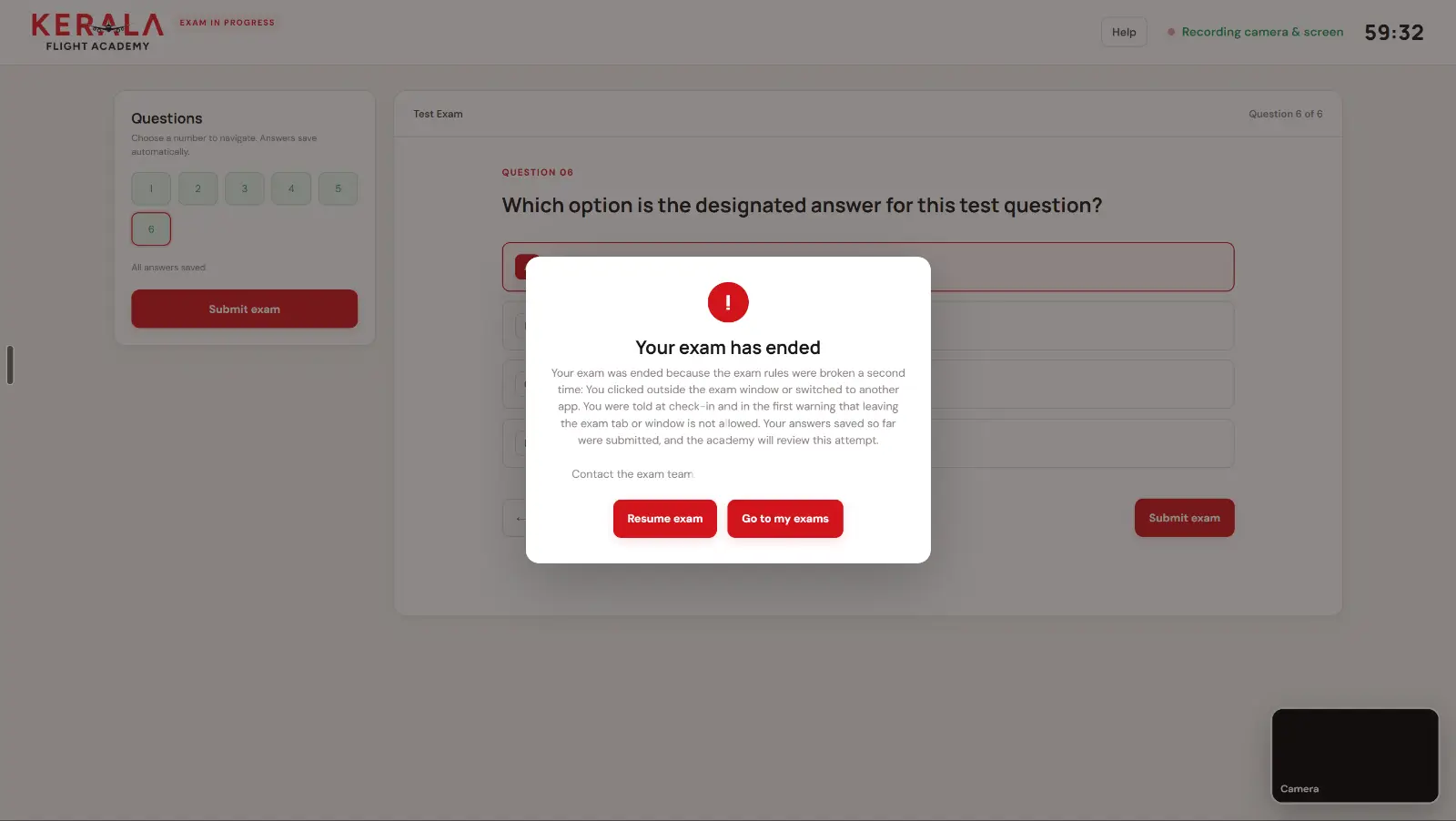
Switching tabs, clicking outside the exam window or opening another app is detected. The first time, the exam pauses and the student sees a clear warning: one more and the exam ends. The second time, the attempt ends automatically, the answers saved so far are submitted, and the academy reviews the attempt. Students are told this rule at check-in, so nobody is surprised.
6. A live monitor for invigilators
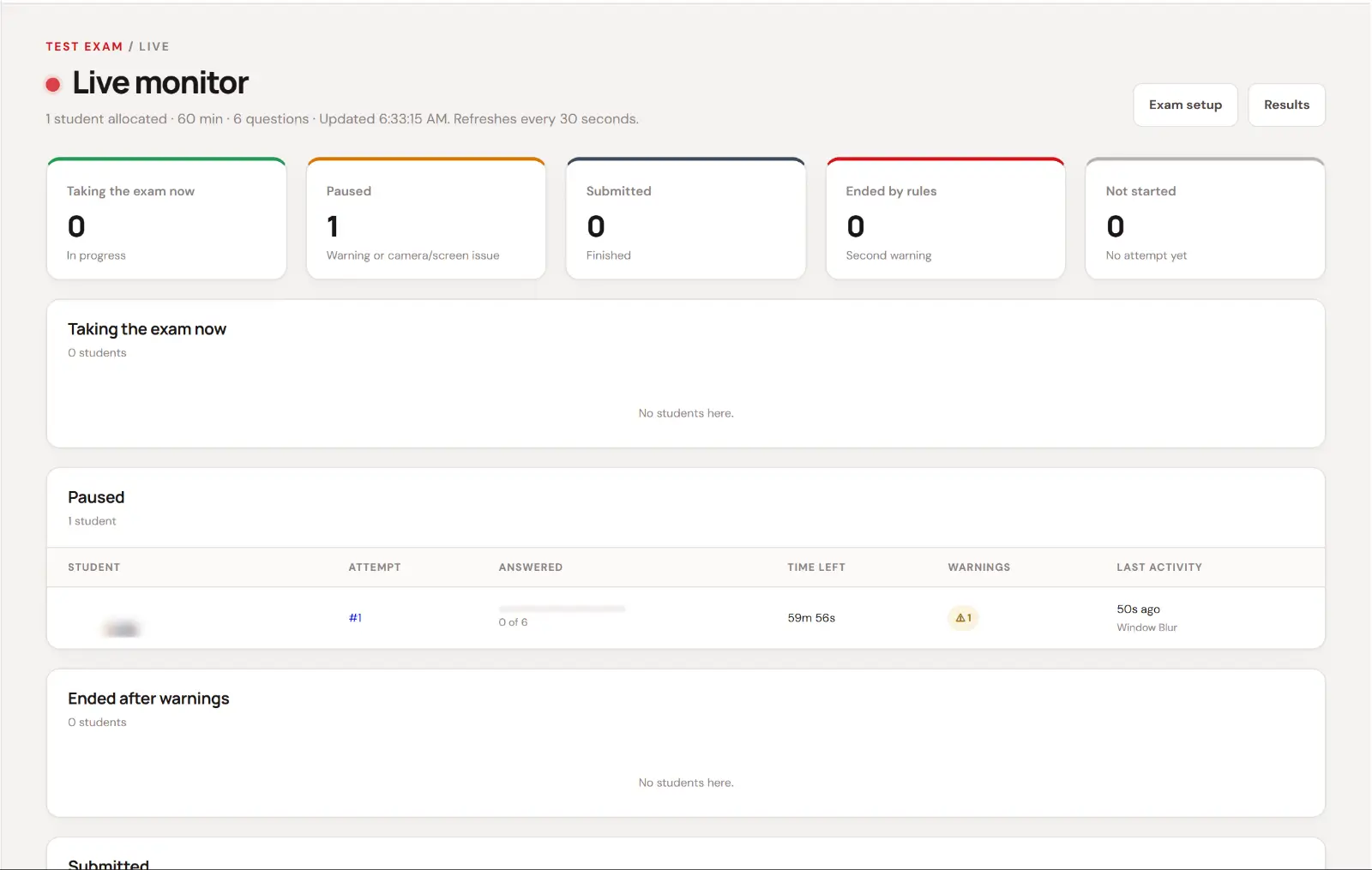
Exam monitors need to see the exam while it happens, not after. The live monitor groups every allocated student into taking the exam now, paused, submitted, ended by the rules and not started, with time left, answers completed, warnings and the last activity such as a window blur. It refreshes every 30 seconds.
7. Attempt review and recordings
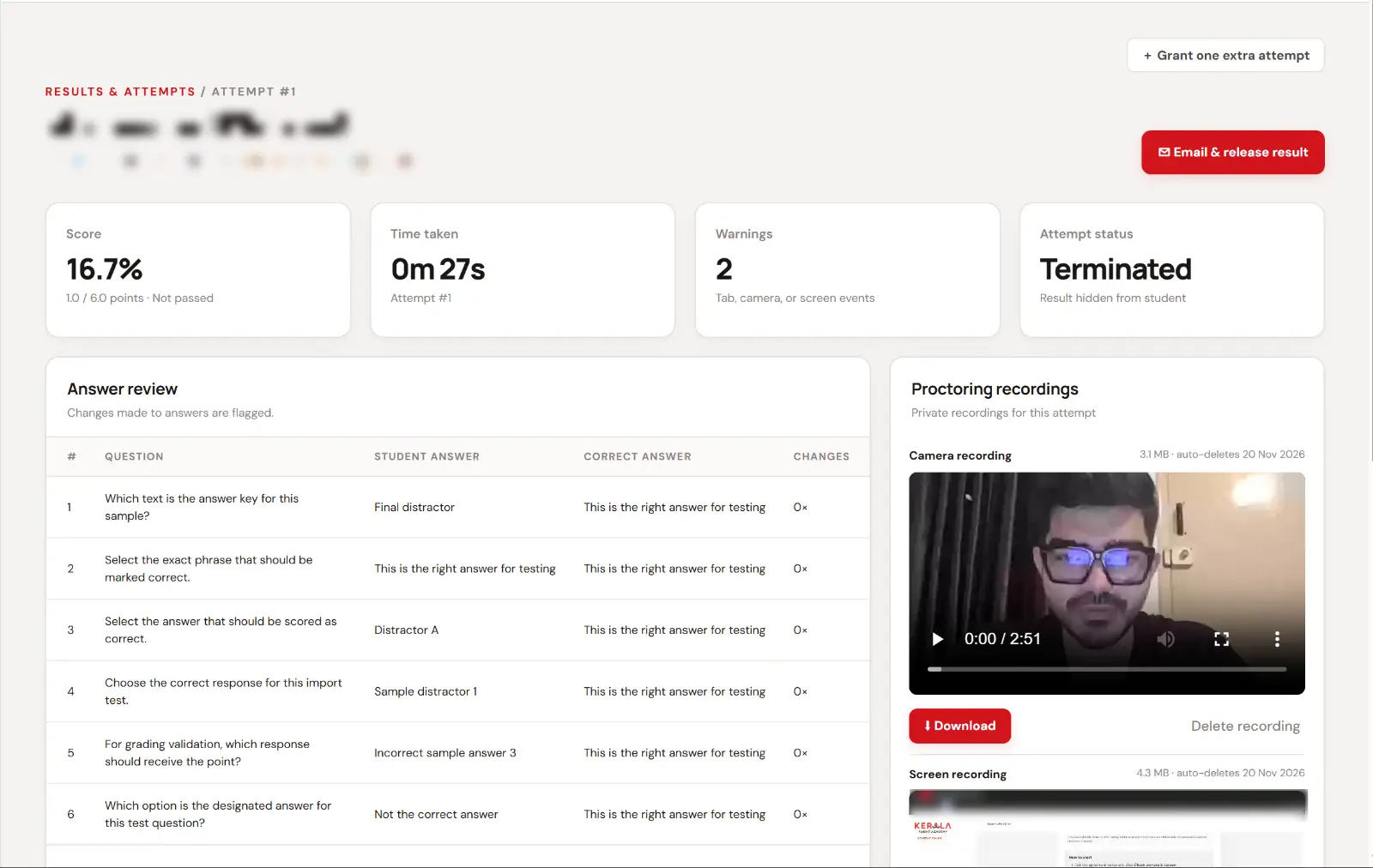
For every attempt, the admin sees the score, time taken, warnings, every answer next to the correct one, and the camera and screen recordings. Recordings can be downloaded and are deleted automatically after 30 days, so the server does not fill up and student video is not kept longer than needed.
8. Results, retests and certificates
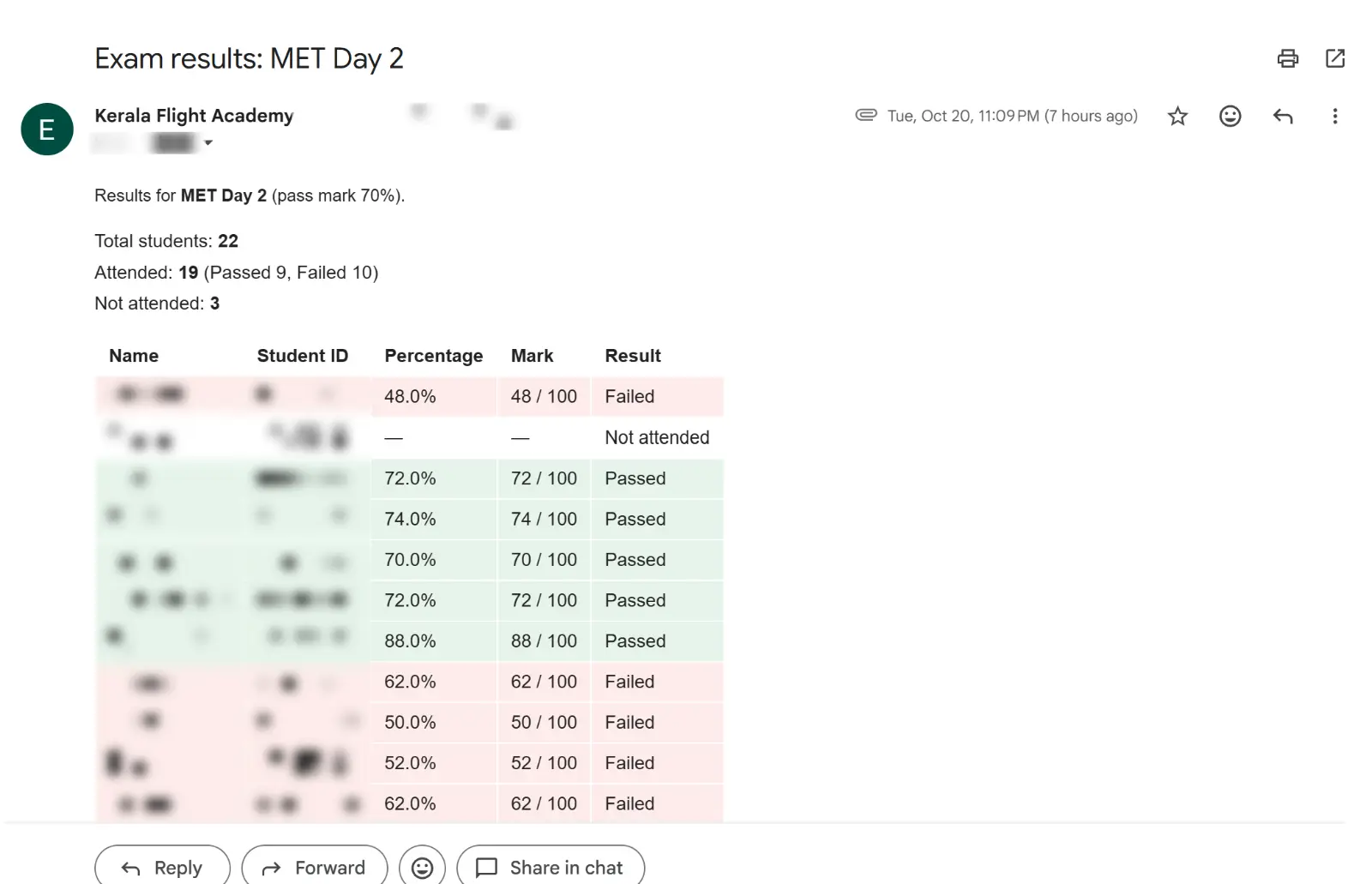
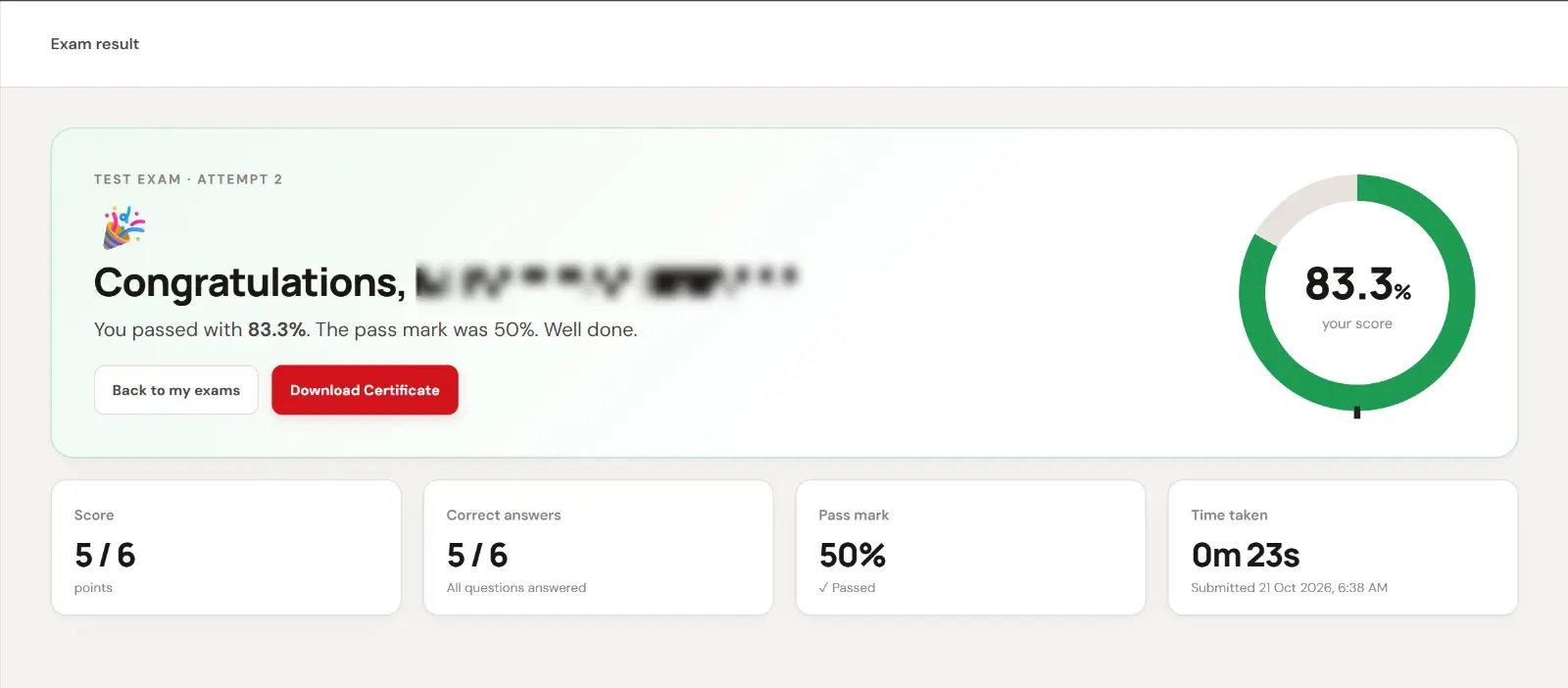
When an exam closes, the result table is emailed to the academy automatically: total students, attended, passed, failed and not attended, with every student's percentage and mark. Admins filter results by exam, batch, status, pass or fail and date, export them to CSV, and release them to students when ready. Students who did not pass can request a retest, and approving it gives them one more attempt. Certificates can be generated automatically from the result and either emailed to the student or downloaded from the result page.
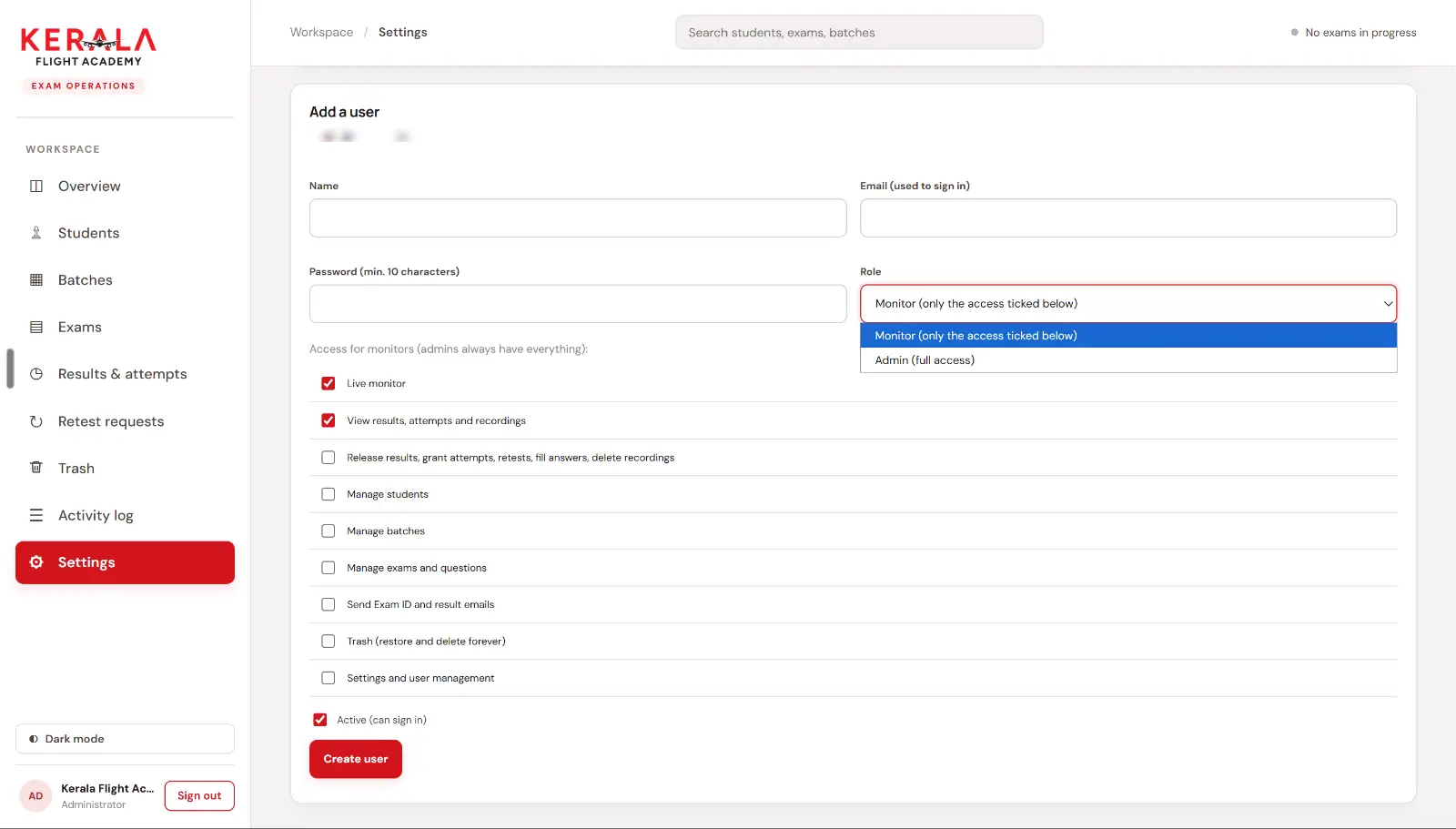
9. Roles for the exam team
Not everyone needs full access. Admins get everything. Monitors only get the access ticked for them, for example the live monitor and viewing results, but not editing questions or deleting students. Every important action is logged.
How a proctored online exam works, step by step
From the student's side, the whole flow takes about a minute before the exam starts:
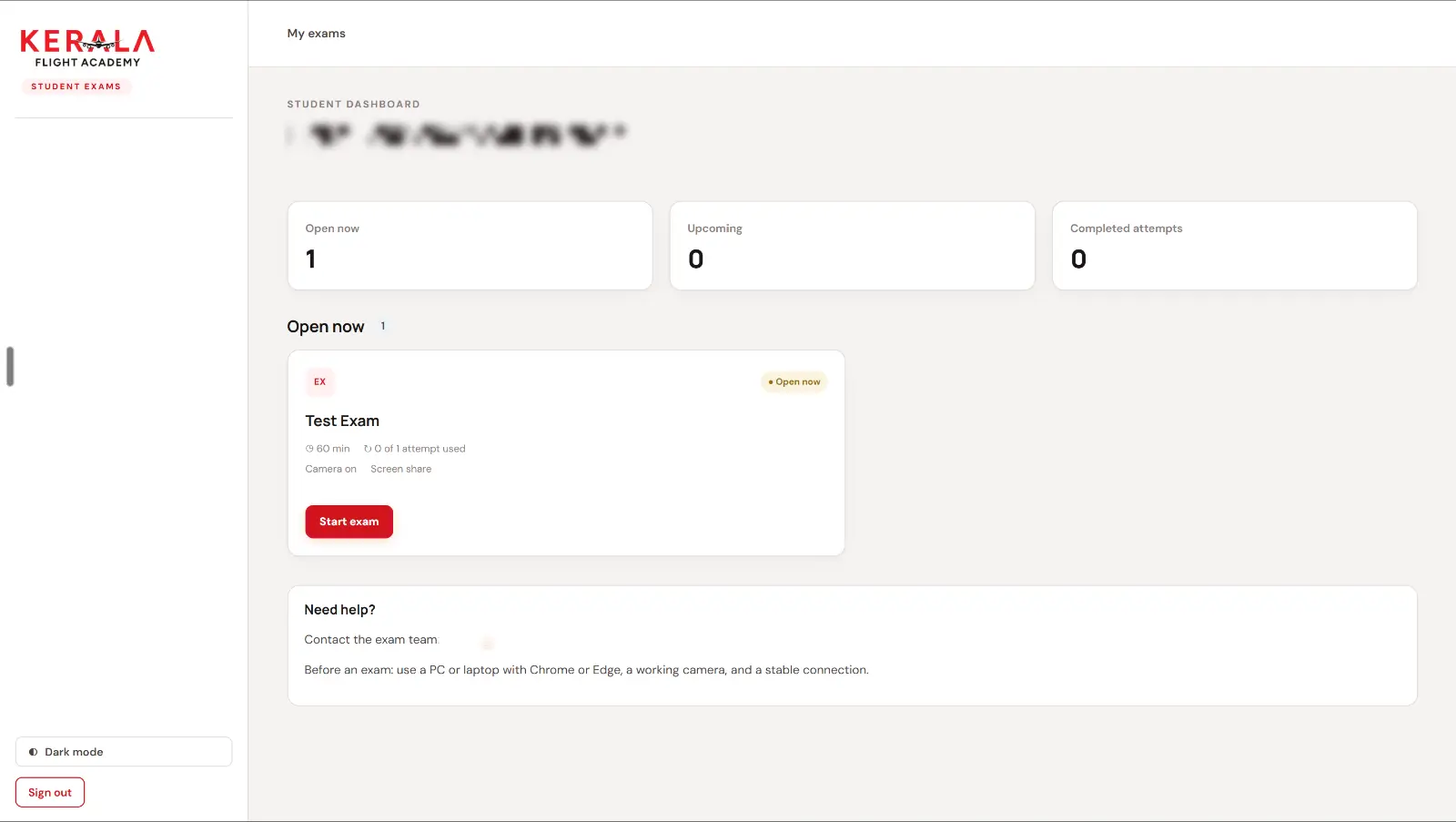
- The student opens the exam portal and enters their Exam ID.
- The dashboard shows exams that are open now, upcoming exams and completed attempts.
- They open the exam and read the check-in page: duration, number of questions, attempts left and the rules.
- They tick the agreement, share their screen, allow the camera and check both previews.
- They press Start exam. The timer starts only now.
- Answers save automatically. A question navigator shows what is answered.
- Before submitting, the server lists any unanswered question numbers.
- After submitting, the student sees either the score or awaiting release by the academy.
Case study: Kerala Flight Academy, built in one week
The full project is in my Kerala Flight Academy exam portal case study, with screenshots of every screen. In short:
- Timeline: one week from the first screen to live exams.
- Scope: admin workspace, student portal, proctoring, live monitor, automatic result emails, retests and certificates.
- First exams: two subject exams, with 60 and 50 questions, allocated to students across four batches.
- Stack: PHP, MySQL, HTML, CSS and JavaScript, on the academy's own hosting.
The part I am proudest of is not a feature. It is that the exam team runs everything themselves: they create the exam, import the questions, allocate the batch, watch the live monitor and release results, without calling a developer.
Custom exam server vs ready-made exam software
- Custom exam server: your data stays on your own server, proctoring follows your rules (camera, screen, microphone, warnings), the branding is yours end to end, and you pay once for the build plus hosting.
- Free form and quiz tools: free and quick, but there is no proctoring, no real student identity and little control over when scores are shown.
- Subscription exam platforms: ready to use, with proctoring that depends on the plan, limited branding and a monthly or per-student fee. Your process adapts to the platform.
Ready-made platforms are a good choice when you need something today and your rules are standard. A custom exam server makes sense when exams are central to your academy, when you run them often, or when your process does not fit someone else's template.
The technology behind it
You do not need special software or an app. The exam runs in a normal Chrome or Edge browser.
- Backend: PHP 8 and MySQL, on standard Linux hosting.
- Frontend: HTML, CSS and plain JavaScript, so pages load fast even on slow connections.
- Proctoring: the browser's own camera, microphone and screen capture permissions, recorded in the browser and uploaded to your server.
- Rule detection: the browser's visibility and focus events, which fire when the student switches tab, window or app.
- Email: Exam IDs, results and certificates sent from the academy's own address.
Privacy and fairness
Proctoring only works if students trust it. A few rules I follow:
- Tell students exactly what is recorded, at check-in, and ask them to agree before anything starts.
- Keep recordings only as long as needed. Here they delete themselves after 30 days.
- Limit who can see recordings, with roles and permissions.
- Keep the Exam ID private. It is the student's login, so it is never shown publicly.
What it takes to build an exam server for your academy
A focused exam server like this one can be designed and built in one to two weeks, depending on what you need. My process:
- A short call about how you run exams today, your rules and your student numbers.
- Screens in Figma that you approve before any code is written.
- Build and set-up on your hosting and domain, with your branding and email.
- A dry run with five to ten students before the first real exam.
- Support during the first live exams, and improvements after.
What I need from you: your exam rules, a sample question sheet, your student list format, your logo and your domain.
Frequently asked questions
Can students take the exam on a mobile phone?
Yes, if you allow it for that exam. Phones and tablets cannot share their screen, so only the camera is recorded. For stricter exams, you can require a PC or laptop, and phones are blocked before the exam starts.
Can students cheat by opening another tab?
Switching tabs, windows or apps is detected. The first time the exam pauses with a warning, the second time it ends and is flagged for review. The screen recording shows what happened.
Do students need to install any software?
No. The exam runs in Chrome or Edge on a computer with a working camera and a stable internet connection.
Can we import our existing question bank?
Yes. Upload your questions as a CSV with four options, the correct option and the points. Every question is shown with its correct answer for review before it is added.
Where are recordings stored, and for how long?
On your own server. Recordings can be downloaded, deleted by an admin, and are deleted automatically after 30 days.
Can the exam server issue certificates?
Yes. Certificates can be generated automatically from the result and sent to the student's email, or shown on the result page to download.
How much does a custom exam server cost?
It depends on the features, the number of students and the hosting. Tell me what you need and I will send a clear quote.
Build an exam server for your academy
If you run an academy, a coaching or training institute, or any course where exams matter, I can design and build a proctored exam server around the way you work: your exams, your students, your rules and your branding, on your own server.
- Exam, student and batch management, with bulk CSV import
- Camera, screen and microphone proctoring with the two-warning rule
- A live monitor, recordings and attempt review
- Automatic result emails, retests and certificates
Start your exam server project →
Prefer email? Write to mail4theuncoder@gmail.com, or message me on LinkedIn. I reply within 24 hours.